
Scheduling questions Flair with Ecobee
Answered
In our house, we have an Ecobee4 controlling central air/heat, and we also installed a Mitsubishi mini-split in the bedroom so that we can sleep in near sub-freezing temperatures. :) The mini--split doesn't support WiFi, so I purchased the Puck so that I can do schedules, Alexa, and control from a smartphone app. I've been working on integrating everything together, but I don't have it quite right. Was looking for advice.
Right now we have a schedule set on Ecobee for home/away, which can be overridden by occupancy. Occupancy is setup using a combination of geofencing through Life360 and IFTTT rules so that if everyone is home, it won't switch to away until the last person leaves the house, and will switch to home when they first person comes back.
I have the Puck controlling the mini-split on it's own schedule: low temperature over night, high temperature during the day. However, this morning,when Ecboee switched to Away, the Flair switched off the mini-split rather than raising the temperature.
Questions:
1. How do I set up the scheduling so that Home/Away on either device does not effect the mini-split?
2. The reason I'm using Life360 and IFTTT is that the Ecobee (as far as I can tell) determines occupancy by motion detection or geofencing via only one user. Can I use the Puck to determine if everyone is home or away for my Ecobee via geofencing/beaconing of multiple users, letting me simplify and cutting out Life360 and IFTTT?
3. Are the beacons working? I can't find any information on it.
Let me know if you need any more information.
-
Official comment

1. One solution would be to use Flair scheduling, which would override any Home/Away settings coming from your ecobee and just focus on the mini split. That way, you can have a scheduled solution that just applies to your mini split.
2. While Flair offers multiuser geofencing for its own App and users, we currently can not affect Home and Away status inside ecobee .
3. While the bluetooth beacons are installed in each Puck, they are currently not enabled via software. Customers overwhelmingly asked us for scheduling to be deployed and we focused our attention on that. We hope to have bluetooth beaconing up in the future.
Thanks for the questions!
Comment actions -
Thanks for responding!
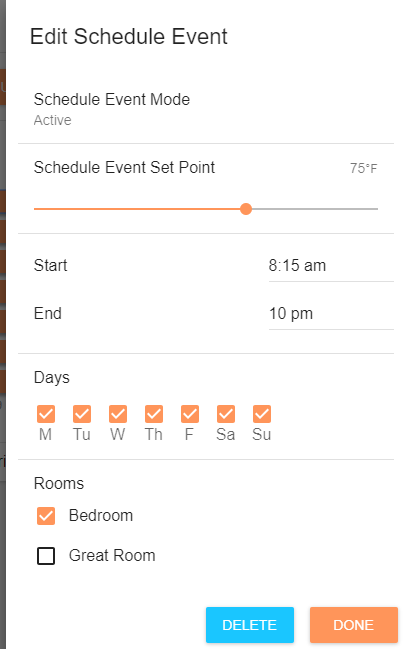
I am using the Flair for scheduling. Below are screenshots of my setup.
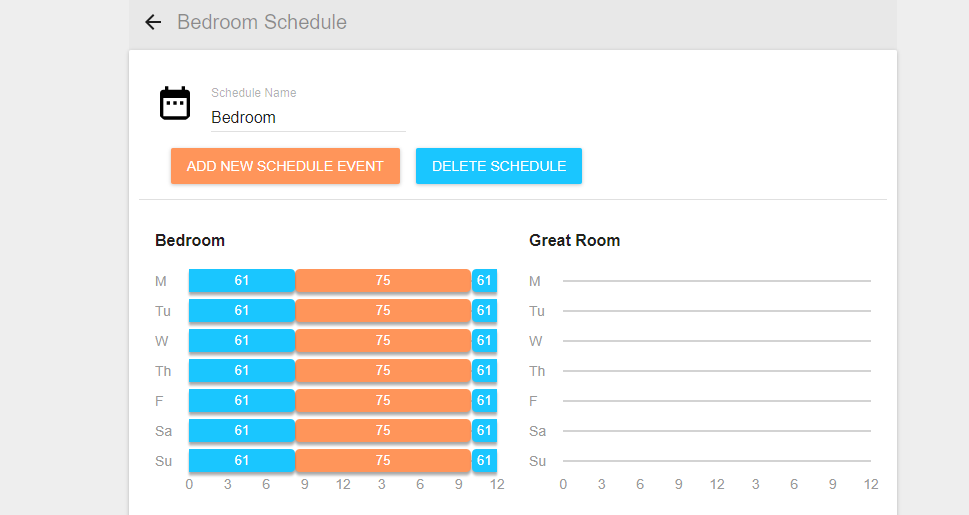
The Home-screen shows I'm using the Bedroom schedule.
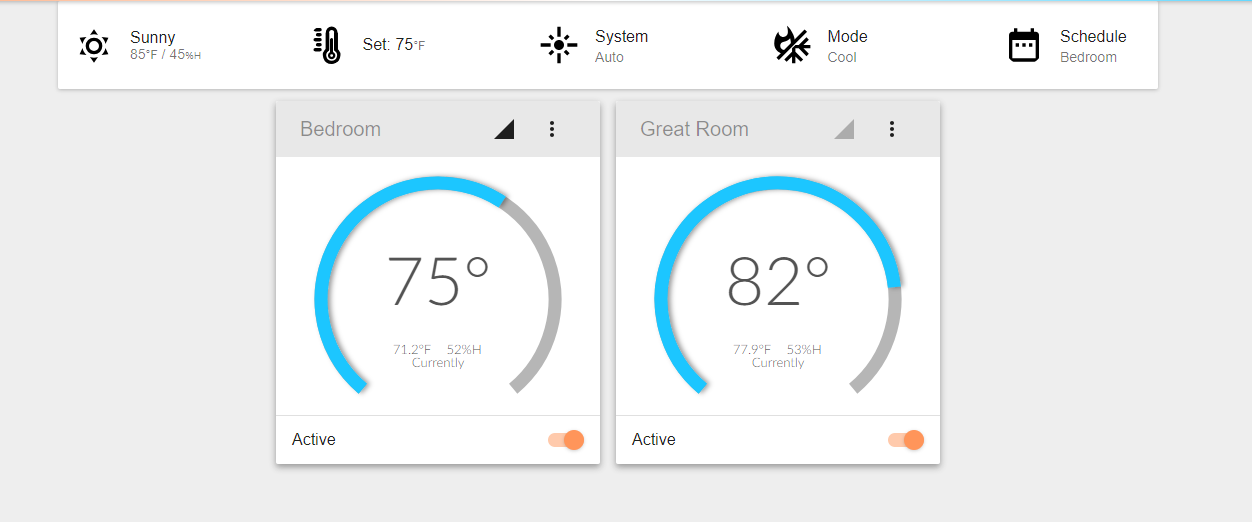
Below is my Home Settings page:
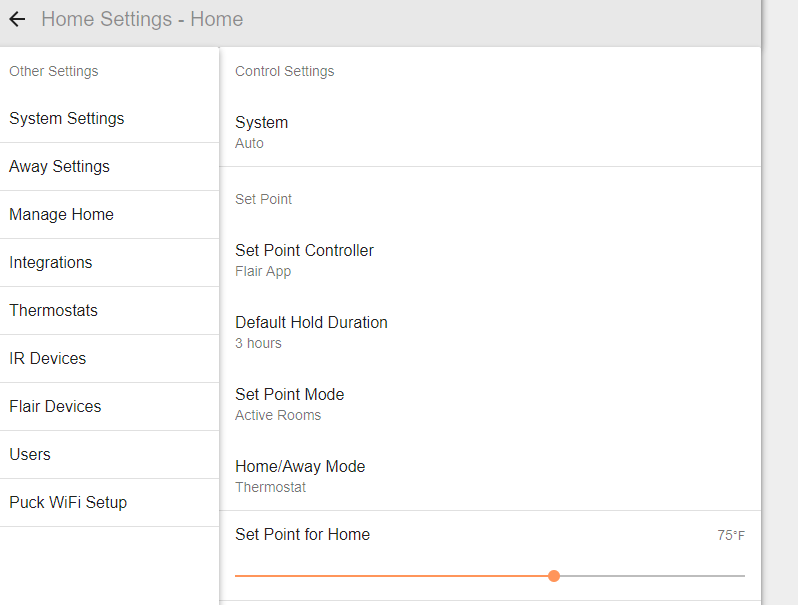
Finally, my Home/Away settings:
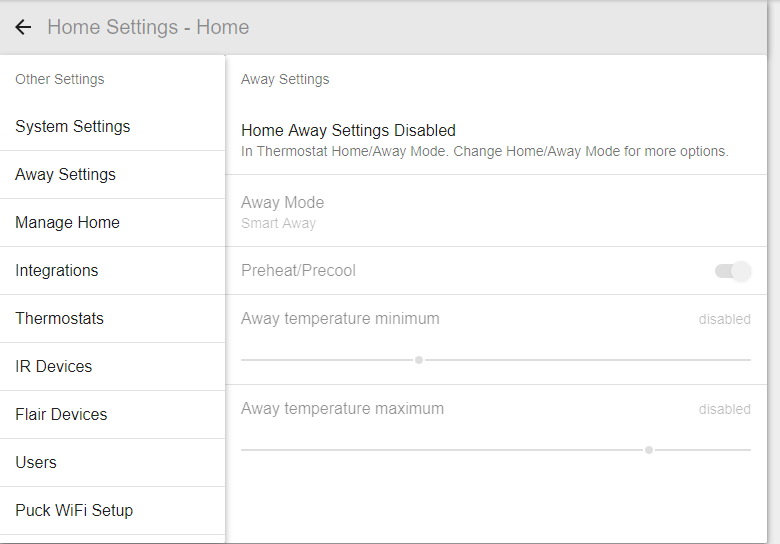
So, I guess my questions are:
1. My Ecobee is set to Away at 8:00 AM. At 8:00 AM this morning, the Flair turned off the AC. Nothing happened until 8:15. I got it working by setting a hold, then removing the hold. Is this expected behavior?
2. When I came home for lunch today, the Flair had changed the AC to 64F. This confused the hell out of me as nothing in Flair was set to use 64F, until I looked at the scheduling on my Bee.
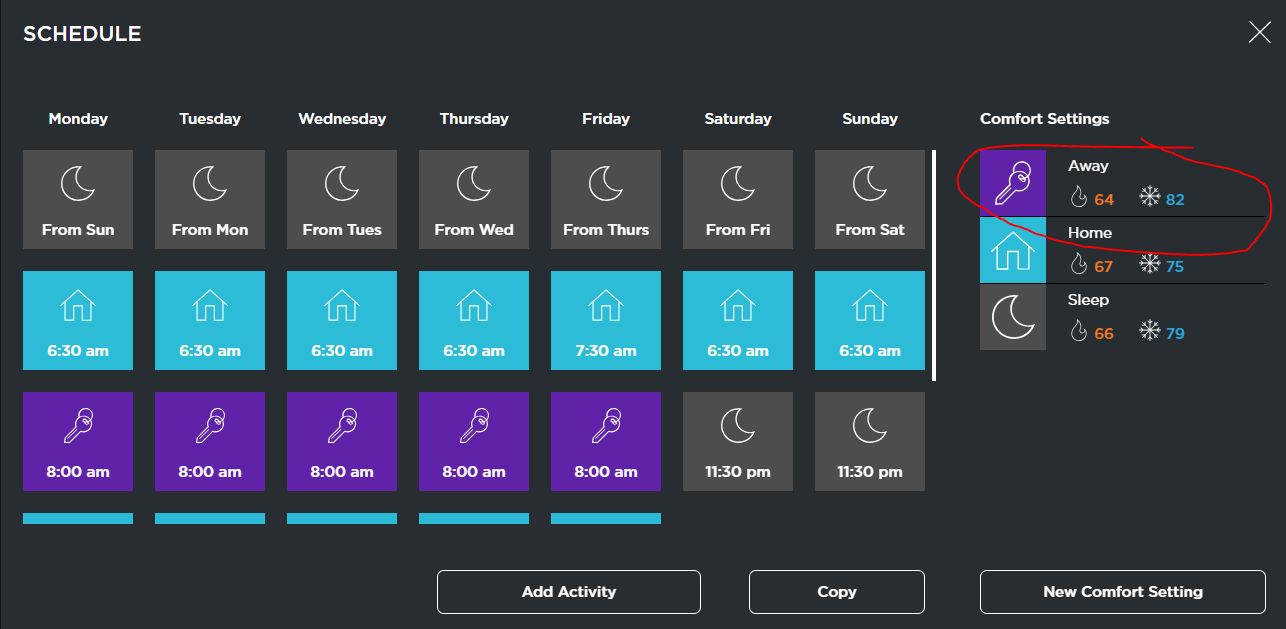 My hypothesis: when I got home, my Bee, which was in Away, switched back to Home. Even though the Flair is in cooling mode, somehow it interpreted the minimum temperature when in heating mode as the new setpoint...?
2. Assuming this isn't a bug, this brings me to my second question. Are there any logs I can look at so I can troubleshoot my settings?
3. Would all my problems be solved if I just changed the Home/Away to manual and leave it on Home? I'm still confused about how Flair handles Home/Away and Active/Inactive.
4. Regarding Beacons, are there also any plans to open up to IFTTT, Homekit, etc? I'd love to play around with different rules based on who is in a room. :)
Please let me know if you need more info.
-
As we note in our scheduling article (https://support.flair.co/hc/en-us/articles/360004526031-Using-Flair-Scheduling), we don't recommend using two scheduling systems at the same time, as this can result in unpredictable behavior.
-
If I only use the Flair, even though it can't effect Home/Away in the Ecobee, can I still get the same results? (75 when we are home, 82 when we are out.)
Also, I don't know if this is a bug, but I was just playing with putting Home/Away to manual. When I put the bedroom in Away, it set the setpoint to 90F, instead of my max setting in Away at 82F.

Please sign in to leave a comment.
Comments
5 comments