
Home Assistant Integration
Answered
Are there any users running Home Assistant for home automation? I'm starting work on a plug-in to be able to bring the data from the Flair sensors into HA. It would be great to have another user to compare data or eventually run test versions of the client with.I'd also like to get ideas of what features would be expected so I can build the support in as I start.
-

Thanks Dan!
No problem! I'm glad you're getting some good use out of the integration.
-

Thank you Robert Drinovac! I just finally got Home Assistant set up, and while it's not minisplit weather here by any stretch, it seems to be working — at least getting data! I'll have to play with it a bit more... but I'm hoping I'll finally get to my dream of using the mini-splits for heat when it's warm enough that that's efficient, and resorting to the boiler/gas when that's needed, all with having to calculate it myself!
-

Matthew - thought it might be worth highlighting our boiler+minisplit solution here: https://support.flair.co/hc/en-us/articles/360034878332
If you message support they can help here. -
Chrissie Thanks! That looks like almost exactly what I'm intending to do!
Although in my case, I'm in a cold climate, so I really need to invert the concept, because in winter, it's gotta be the boiler most of the time — maybe sometime I'll be able to replace the system with something that can be more efficient, but I think my system isn't really a good choice below 50°. So it's more like the mini-splits are the supplement.
I like the Flair devices, but I really want remote-server free local control. If you offered something like that — and a thermostat for the boiler to replace the Ecobees — I'd definitely buy it all over again. As it is, when we get to upgrading the mini-splits, I'll probably just go with zwave or zigbee. However, if you have something with a local API all under my own control, that'd be my first pick. -
Home Assistant Testers Needed!
I have just finished writing a new backend client and rewriting the Home Assistant integration which brings us into the OAuth 2.0 era! As the code is completely new, I am reaching out to any Home Assistant users that would be willing to try out the 0.1.0 pre-release. Please leave any bug reports/discussion regarding 0.1.0 on this Github Discussion page.
If using HACS: You can access the pre-release by setting the switch "Show beta versions" to On for the Flair integration within HACS.
Note: Only update to the pre-release if you already have your OAuth 2.0 credentials. If not, contact Flair to obtain those.
Other things to note:
Please be sure to read the release notes as there are two possible methods for moving to OAuth 2.0 with one of them being the recommended route.
In addition to OAuth 2.0, I've introduced a lot of new features with this version.
New Features
Speed:
With the new backend and rewrite of the integration, start up times are lightning fast!

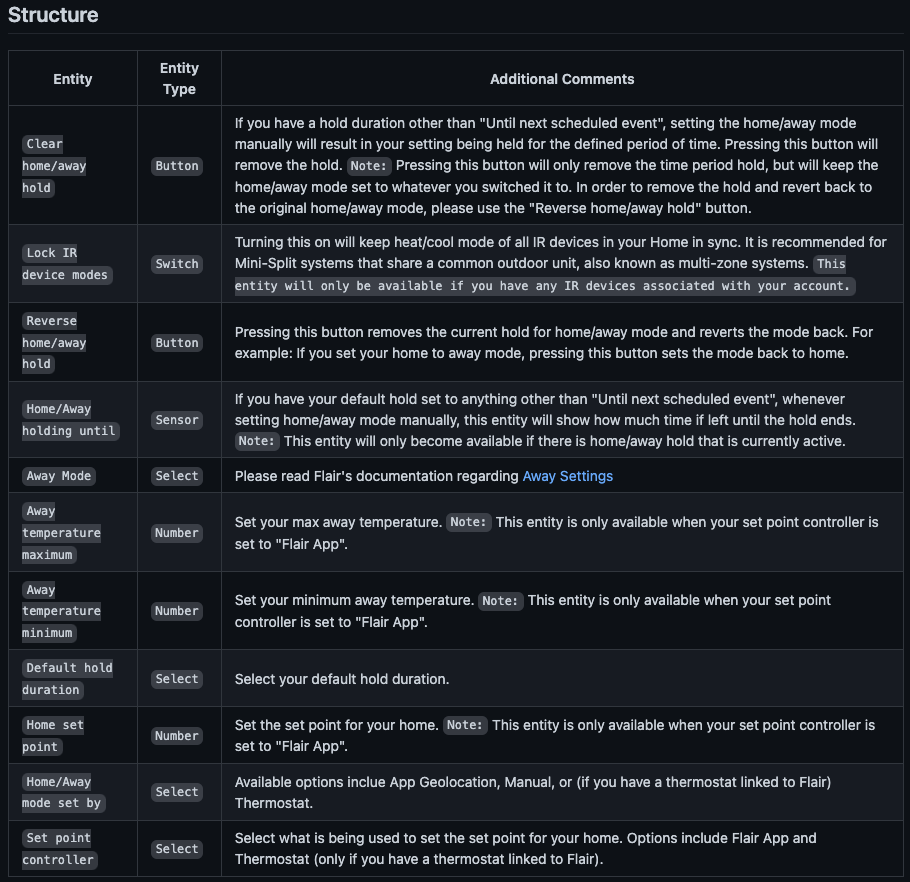
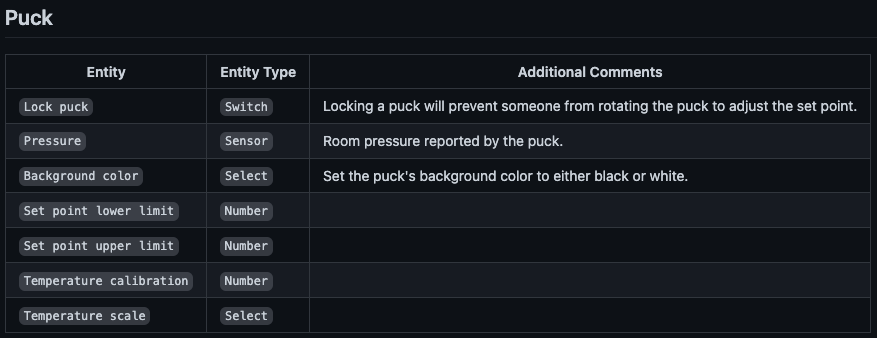
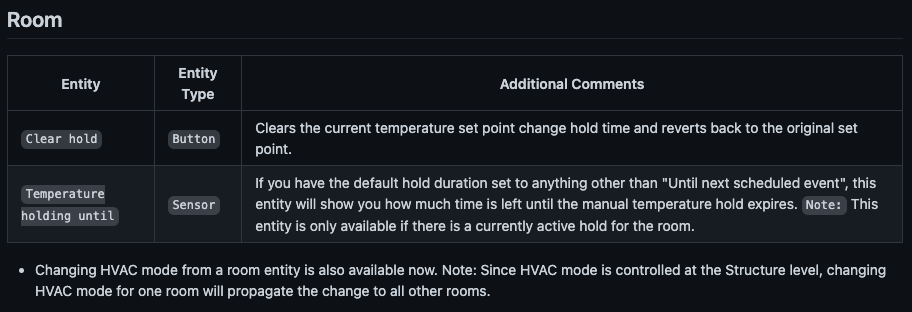
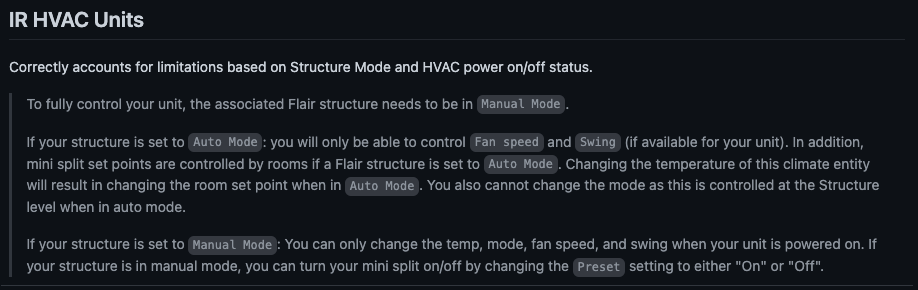
-
-
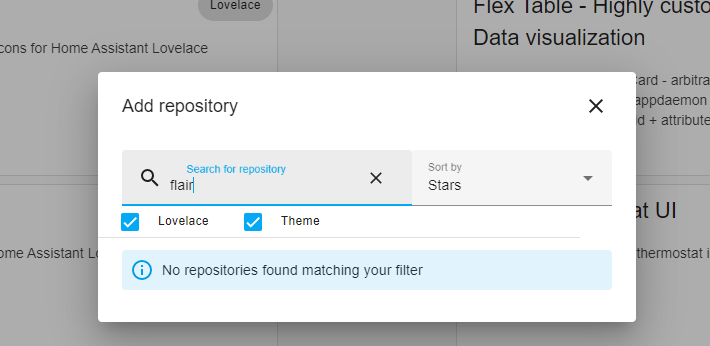
I'm not exactly sure what you're doing there within HACS as the Flair integration doesn't fall under Lovelace or Theme.
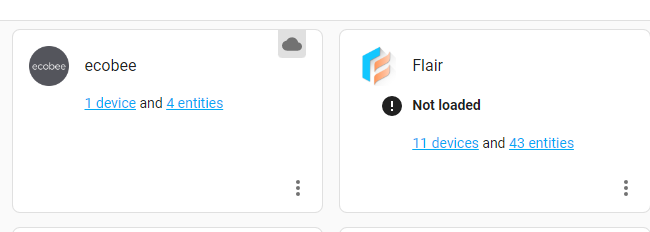
Before you do anything, within that picture that is showing the Flair integration next to ecobee, click on the 3 dots for the Flair integration and delete it.
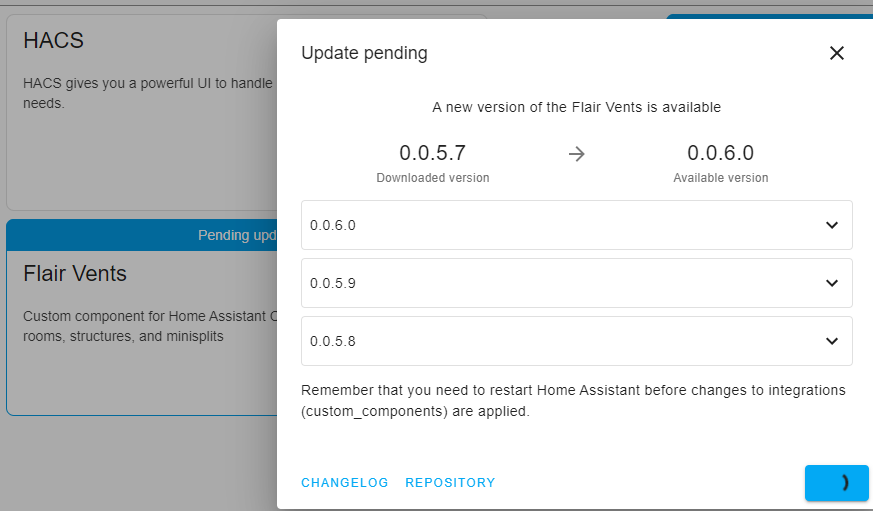
If you have previously added the GitHub repo for the Flair integration to HACS, what you need to do is click on "integrations" on the HACS main page, scroll all the way to the bottom until you see the card for Flair. Click on it. In the upper right hand corner click on the 3 dots and select redownload. Then you should see the toggle for showing beta versions.
Here is a screen recording of the process if that is easier to follow: https://www.veed.io/view/c43b29ba-a171-4aca-a945-2cc0367431ef
Edit: I just want to also give a heads up that 0.1.0 requires you to be running Home Assistant 2022.8.0 at minimum as well.
-

Thanks Robert Drinovac I finally figured it out, but the Update does not take after a restart, please help
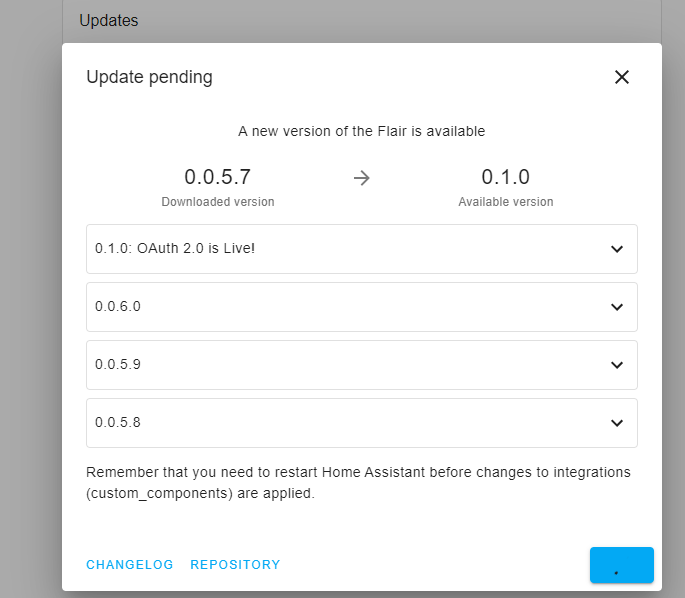
-
Please read the release notes. There is very important information in there.
Edit: Link to release notes if you already updated before opening the 0.1.0 release notes within HACS: https://github.com/RobertD502/home-assistant-flair/releases/tag/0.1.0
-
I followed your instructions, deleted my Flair integration, restarted and tried to add the integration and now get:
Error
This integration does not support configuration via the UI. If you followed this link from the Home Assistant website, make sure you run the latest version of Home Assistant.What now?
-
I can tell you that the issues you are facing aren't related to the Flair integration.
The best and quickest solution I can offer you is for you to create a temporary user account for me and personally message me your HA external URL and Flair OAuth 2.0 credentials (so it isn't public). Once I get it installed you can delete the temporary account you've created.
Edit: I see the Flair forum doesn't do personal messages. You can do so instead by sending me an email to flairhass@gmail.com
-
Hi Robert Drinovac I just sent you the login and OAuth creds, thanks
-

Great job Robert Drinovac! I did NOT read the release notes and had to wait a day to get my OAuth 2.0 credentials. Lemme tell you, you can really tell how well using your custom integration and my custom node red flows to help regulate the air where I need it to go really affects the even cooling of my second floor.
(Edit: I eventually got them and am now back to normal.)
Thank you thank you thank you! :D

Please sign in to leave a comment.
Comments
105 comments